How to sell USDT, step by step
Seven screens from your wallet to money in your bank. Your USDT waits in escrow while the buyer pays you directly, and you release it only after you have seen the money.
Step by step
The screenshots come from the Collext app on iPhone with a demo account. Offers marked Demo are samples; real offers look the same without the badge. The website works the same way.
Step 1
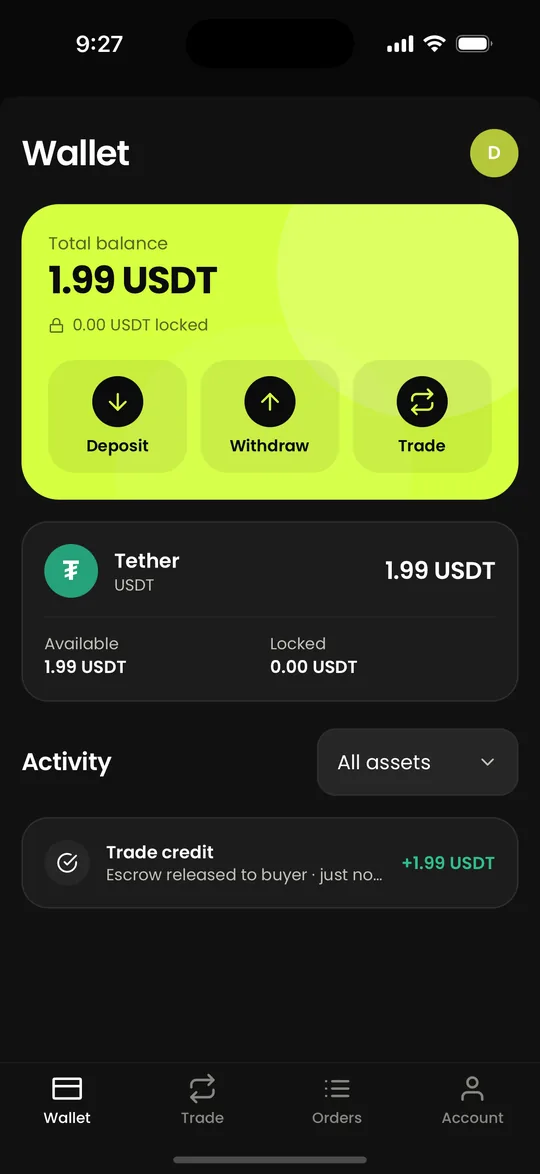
Have USDT and a bank account ready
The USDT in your wallet is what you can sell: deposit some from another wallet, or buy it first. In your account's payment details, add the Telebirr number or bank account you want to be paid into, in your own name.
Step 2
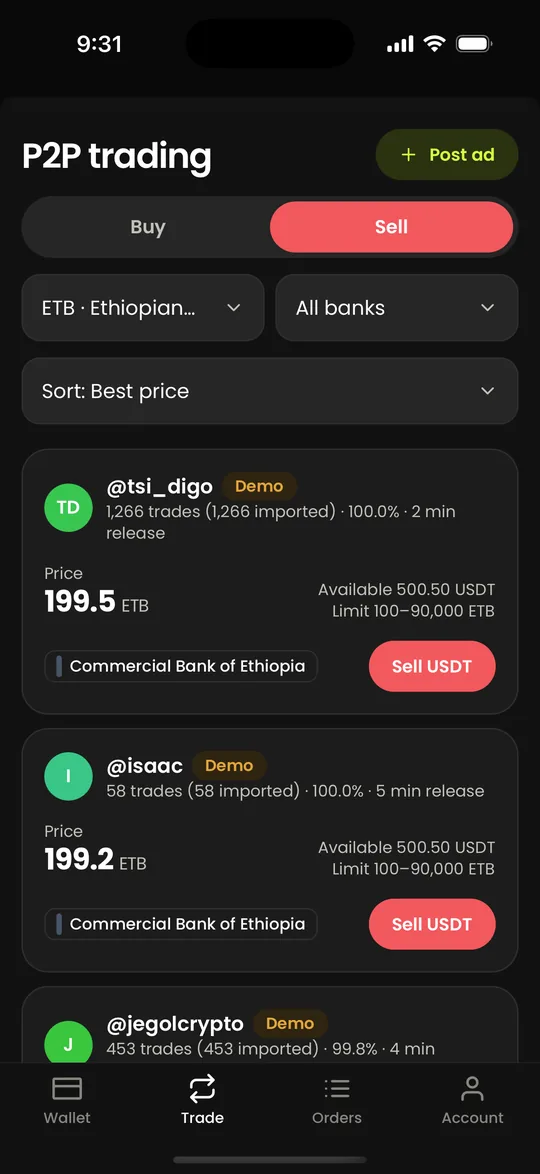
Open Trade, then Sell, and pick a buyer
Each offer on the Sell side is a buyer: the price they will pay for one USDT, how much they want, their limits and the banks they pay from. The best price comes first; sort by completion rate or most trades to find reliable buyers.
Step 3
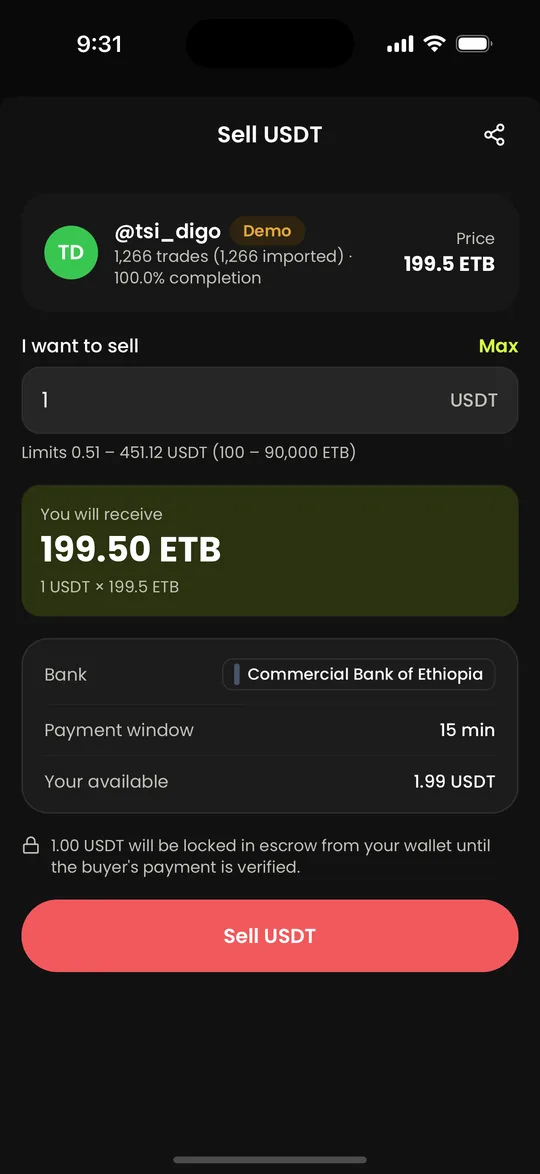
Enter how much USDT to sell
Type the amount. You see the Birr you will receive and the bank you will be paid at. The USDT is locked in escrow from your wallet until the buyer's payment is verified, so it cannot be spent twice. Tap Sell USDT.
Step 4
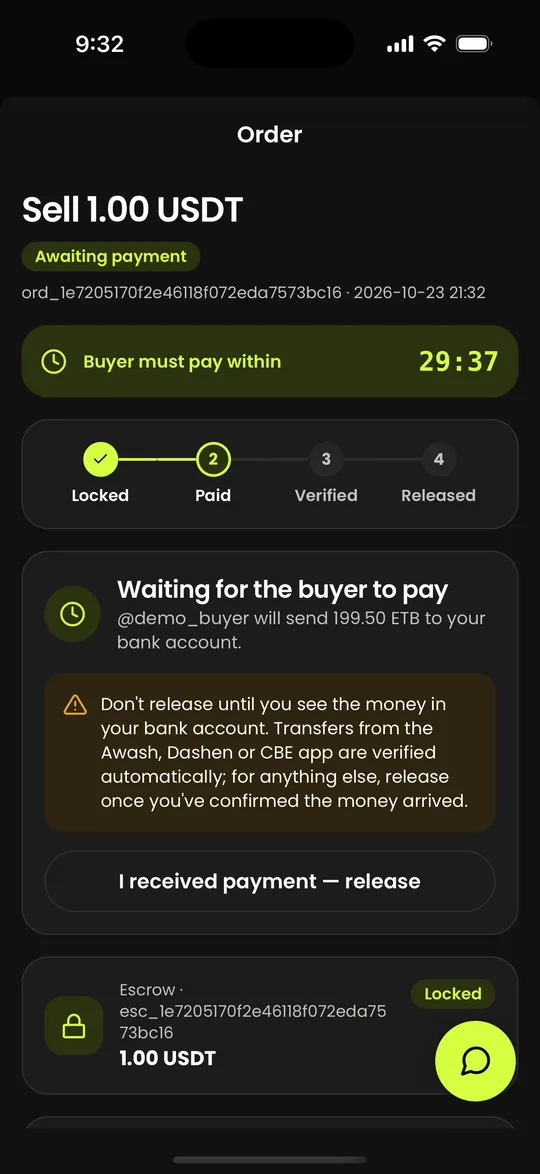
Wait for the buyer to pay
Your USDT is now locked, and the buyer has the payment window to send the Birr to your bank account. If they don't pay in time, the order expires and the USDT returns to your wallet, so you lose nothing.
Step 5
Check the money in your bank account
When the buyer sends their receipt, the order moves to Verifying. Receipts from Telebirr and the CBE, Awash and Dashen apps are checked automatically. Open your own banking app and make sure the money has arrived; never release because of a screenshot or a message.
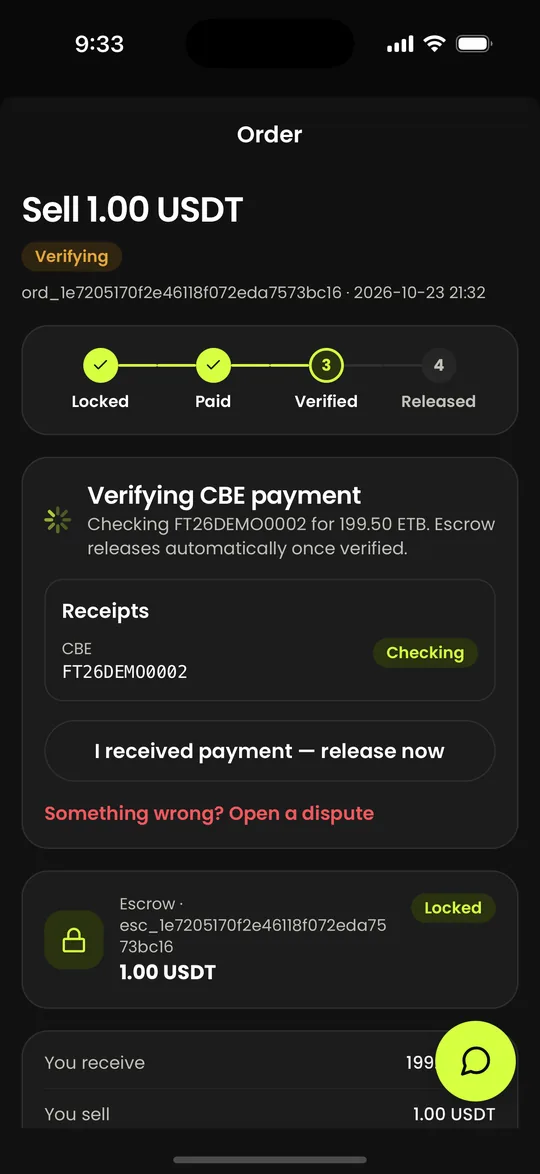
Step 6
Release the USDT
If the payment hasn't released the escrow by itself, tap I received payment and confirm. Releasing is final, so only do it when the Birr is in your account. If something is wrong, open a dispute instead.
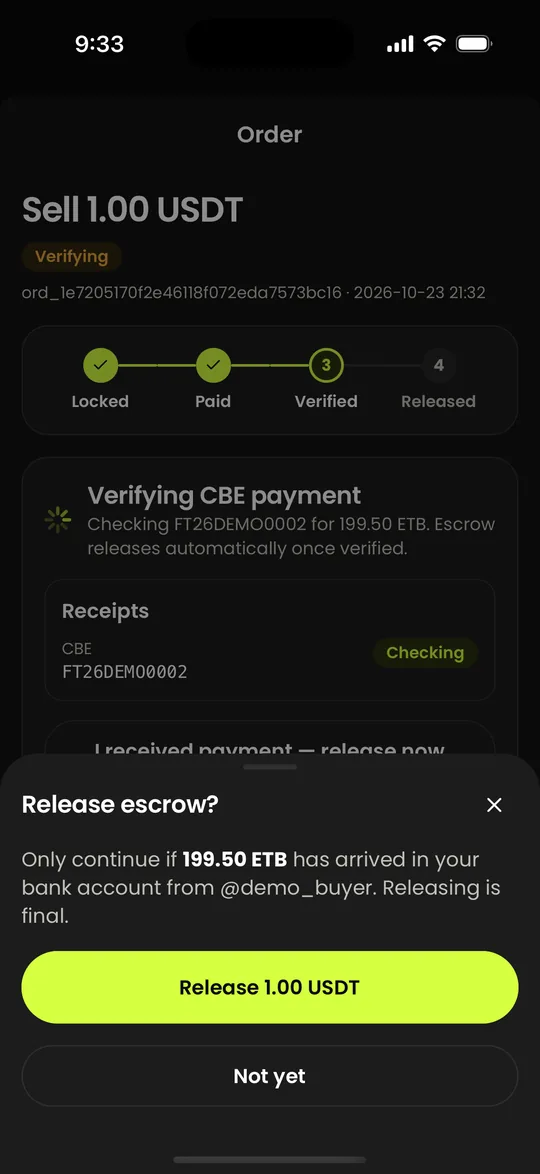
Step 7
Done
The USDT goes to the buyer, the Birr is already in your own account, and the order shows Trade completed. Trades are free for both sides.
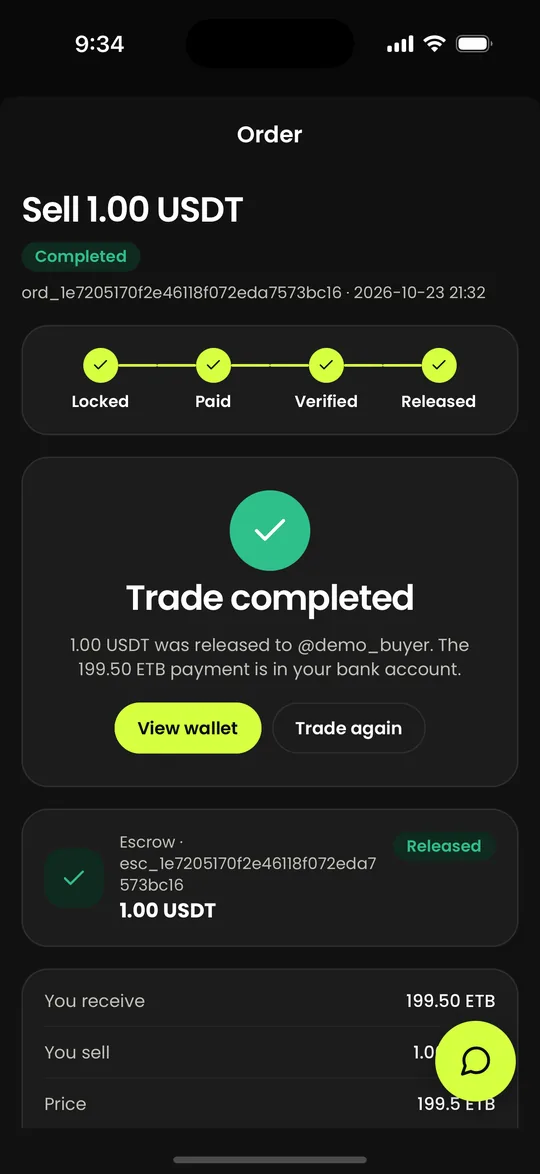
Before you start
- A Collext account with a confirmed email.
- USDT in your wallet, and a Telebirr number or bank account in your own name to be paid into.
Stay safe
Release only after you have seen the money in your own account, not because of a screenshot, a message or a payment from someone else's account. If a buyer says they have paid and you see nothing, don't release: open a dispute from the order.
Questions people ask
Read next
- How to buy USDT in the Collext app, step by step
- How to withdraw USDT from your Collext wallet, step by step
- USDT to Birr rate today (USDT/ETB)
Updated 2026-10-23. Crypto assets are volatile; see our risk disclosure.